Author
Martin Nielsen Page Information
| Created | FEB.21.2010 |
| Revised | FEB.21.2010 |
Bases Loaded
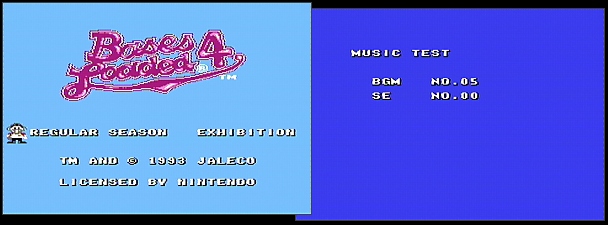
When on the title screen, press START to go to the "Play" menu, here press and hold A and B on controller 2 and the press START on controller 1 to get to a sound test screen. Controller 1 is used to select BGM's by pushing LEFT or RIGHT on the D-Pad and pressing A to play the tune. For SE controller 2 is used, same procedure for selecting and playing tunes.